Coming soon
MeshPrep Pro splits your .3mf and .stl models into parts that fit on your print bed. It adds the connectors that lock the pieces together and makes a step-by-step assembly guide, so the finished print goes together right the first time.
Free forever. Every feature included.How it works
Four steps take you from one model that’s too big to print to a set of parts that snap back together.
-
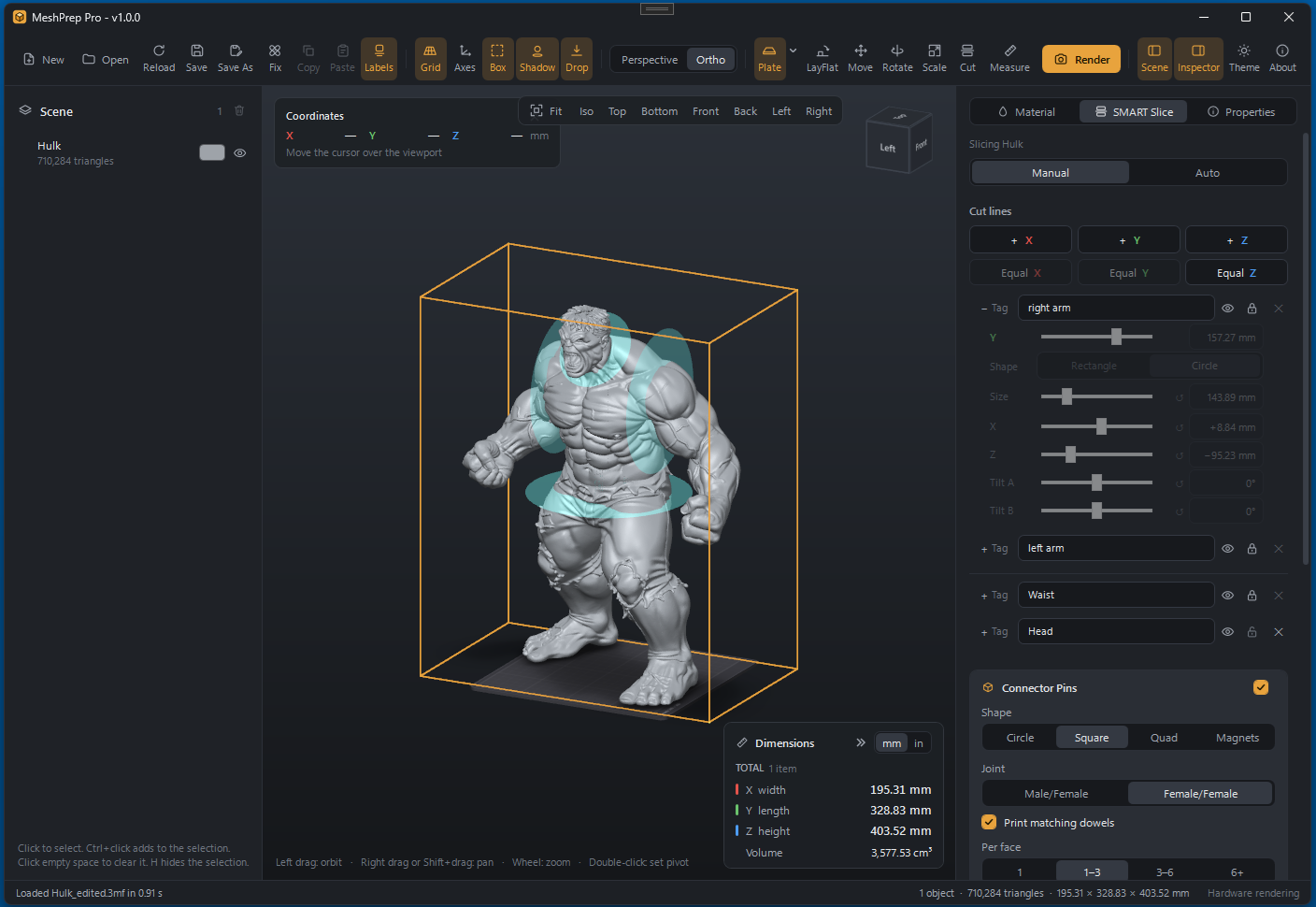
Mark your cuts
Open a .3mf or .stl model and place cut lines along X, Y or Z, by hand or with Auto. Name each cut, like head, waist or left arm, and lock it once it’s where you want it.
View full size -
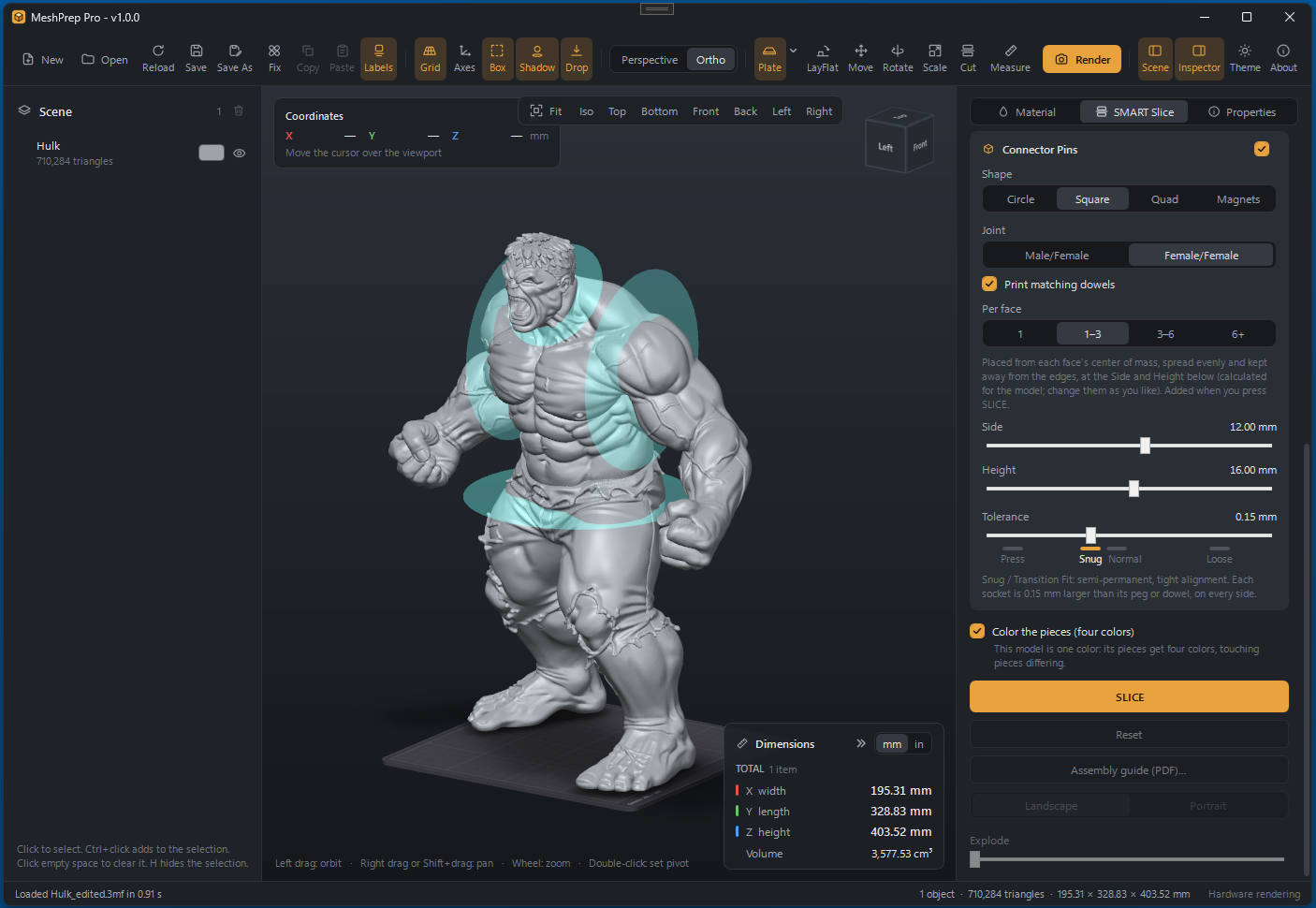
Choose the connectors
Pick round, square or quad pegs, or pockets for magnets. Go male/female, or female/female with matching dowels printed as separate parts. Then set the peg size and how tight it fits, from a press fit to a loose one.
View full size -
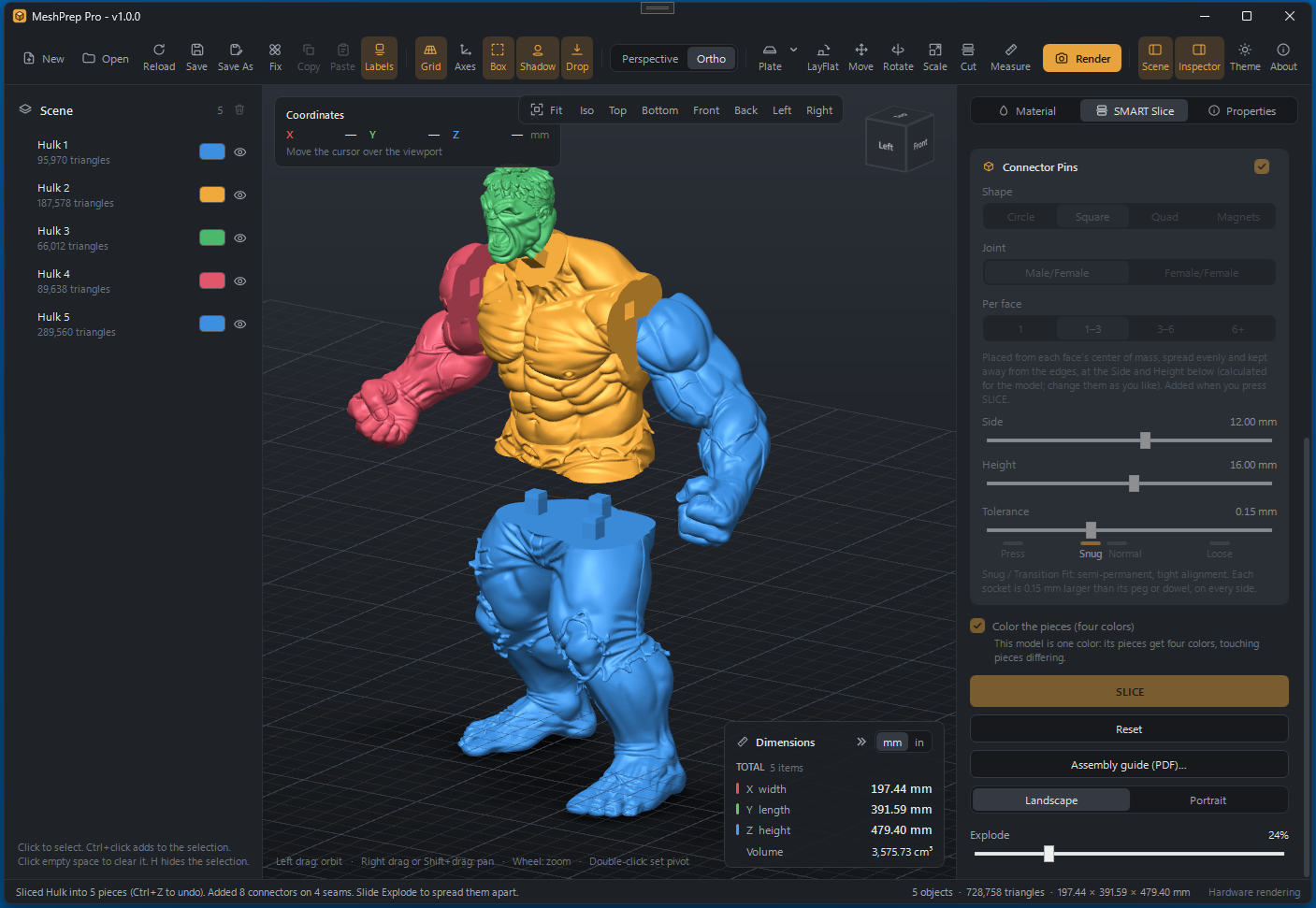
Slice it
Press Slice and the model splits into separate parts with the connectors already built in. Touching pieces get different colors so every seam is easy to see, and the Explode slider spreads them apart for a closer look.
View full size -
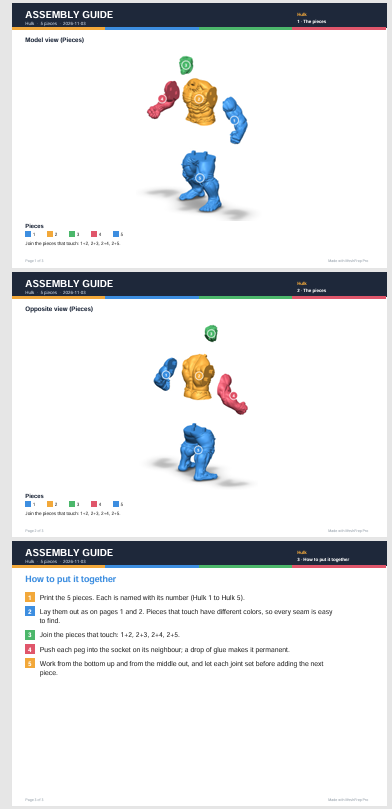
Print the guide
Save an assembly guide as a PDF, in landscape or portrait. It shows every numbered piece from two sides, lists which ones join, and walks you through putting them together.
View full size
Free forever.
Every feature is switched on for everyone. No trial, no locked tools, no subscription.
MeshPrep Pro will be a free download, and it stays that way. If it saves you a failed print or two, you can donate whatever you like to help keep it going. You never have to.